




If you want to sell on Amazon, you must first understand what an ASIN is and how it is used. These unique product identifiers are part of Amazon's selling policies and help customers find what they're looking for.
You can violate Amazon's selling terms and even lose your eligibility to sell on the platform if you don't use ASINs correctly! So, what exactly is an ASIN number and how do you use one?
ASIN stands for Amazon Standard Identification Number. It is the unique 10-digit code assigned to each and every Amazon product and e-book (with the exception of printed books, which use an ISBN).
How can I find a product's ASIN?
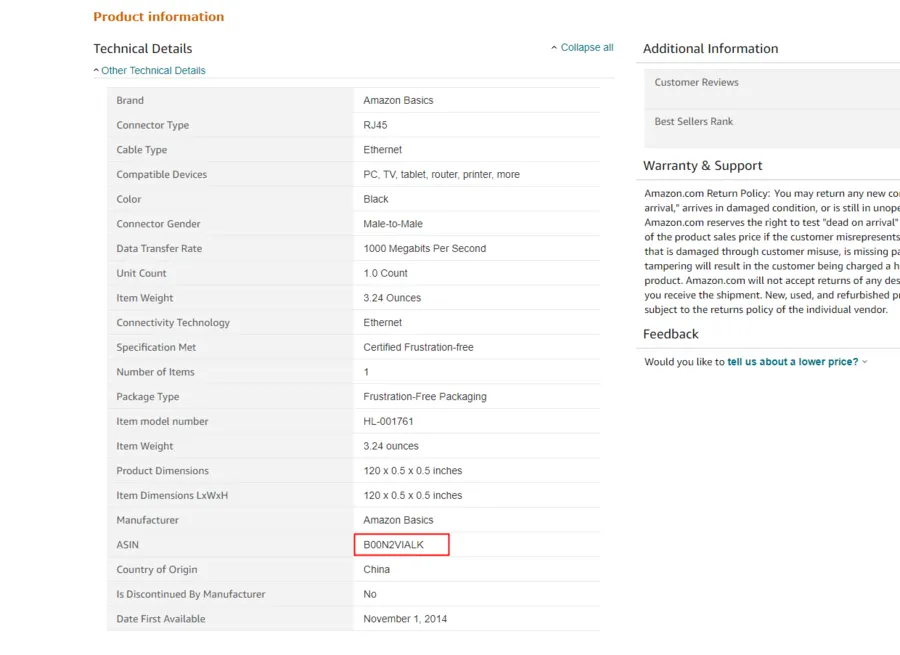
The easiest way to find a product's ASIN is to check the product detail.
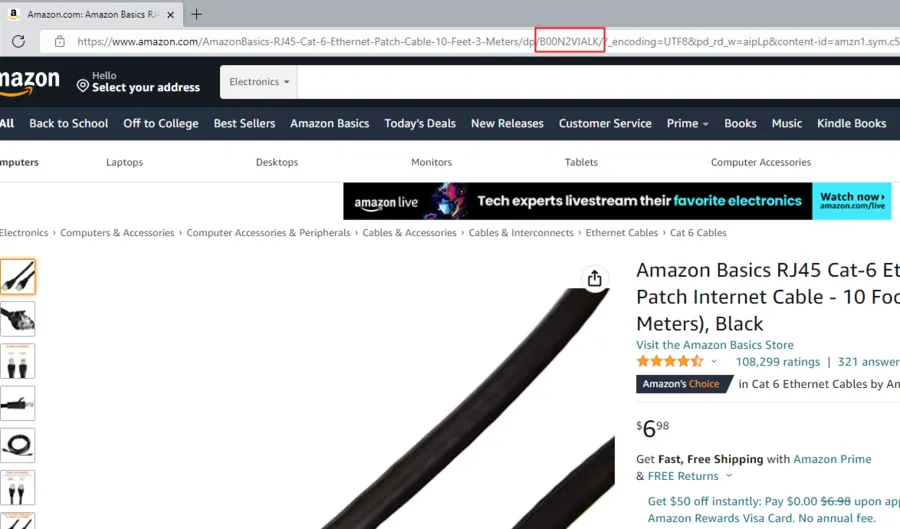
A product's ASIN is also put in the product page URLs.
Why is Reverse ASIN Keyword useful?
Reverse ASIN Keyword is an outstanding way to conduct keyword research on competitor products and compare your own results. It is a useful tool, but in order to work properly, you must target ASINs that are directly competing with your products. You should also target only keywords and search queries related to your products.
How do you use ASINs?
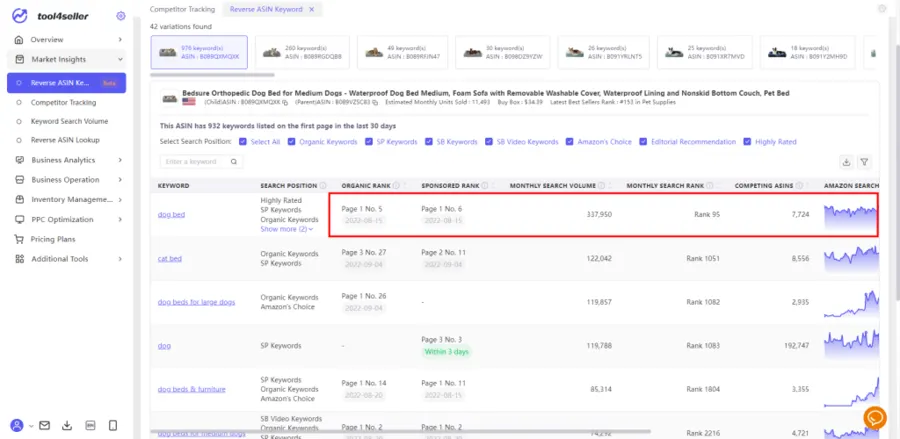
Reverse ASIN Keyword allows you to look up the top-ranking keywords that any Amazon listing (your own ASINs or your competitors') ranks for. This stands in comparison to looking up search terms and viewing which ASINs rank on a term-by-term basis.
To do a reverse ASIN lookup, you'll need a software tool like tool4seller. The Reverse ASIN Keyword is only available for Amazon US currently.
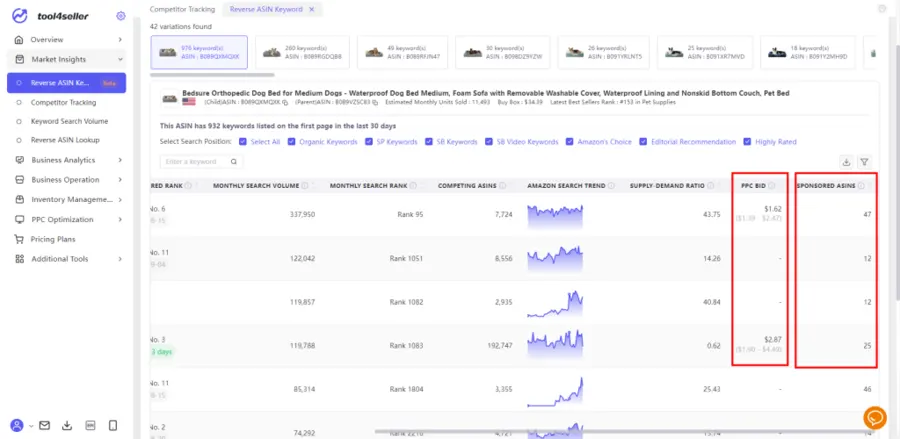
1. Help you find the most cost-effective advertising placement.
According to the number of competing products in different advertising placements under the keyword, and the traffic share of competing products in each position, whether the competition is scattered or concentrated, combined with the suggested PPC bid in Amazon, we can quickly find the most cost-effective advertising position.
Pro tip: It's easy to get carried away looking for obscure keywords in the hope that they'll be less expensive. Exploring the keyword long-tail can be beneficial, but don't spend so much time doing so that it becomes a productivity drain. Low-volume search terms typically result in a low click-through rate (CTR) and low conversions.
2. Uncover your traffic share and increase organic traffic
Provide an estimated supply-demand ratio to help know the competitiveness under a certain keyword. You can evaluate keywords with good organic ranking, appropriately increase advertising budget, and quickly increase organic rankings.
Conclusion
Many people are unfamiliar with the ASIN and reverse ASIN keyword. But now you understand how the ASIN works and it's no doubt that you're ready to launch powerful Amazon PPC campaigns with all keyword information. Remember, you'll need to have a tool like tool4seller's Reverse ASIN Keyword to do this.