




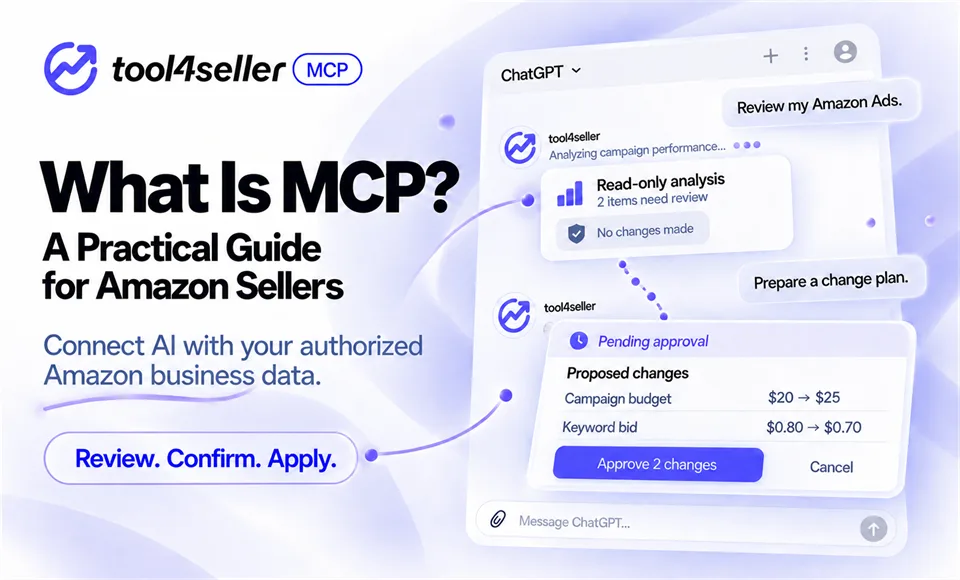
Use the AI tools you already know to work with authorized sales, profit, inventory, and Amazon Ads data.
Ask a general AI assistant how to reduce Amazon advertising spend, and it can offer general advice. But without access to your account data, it cannot tell you which campaign, search term, or target needs attention.
Model Context Protocol, or MCP, helps close that gap.
MCP gives compatible AI applications a standard way to connect with external data and tools. For Amazon sellers, that can mean moving from general questions to conversations based on authorized store and advertising data.
This guide explains how MCP works, how Amazon’s own AI services differ, and how tool4seller MCP supports practical Amazon business workflows.
What is MCP?
Model Context Protocol is an open standard that allows AI applications to connect with external data sources and tools.
MCP is not another AI model. ChatGPT and Claude are AI applications; MCP is one way those applications can communicate with connected services.
A simplified tool4seller MCP workflow looks like this:
- You ask a question in a compatible AI application.
- The AI determines which connected tool can provide the required information.
- tool4seller retrieves data from the Amazon stores you have authorized.
- The AI organizes the returned information into an answer.
- If you request a supported advertising change, tool4seller prepares the change for review before anything is applied.
For example, instead of asking:
How can an Amazon seller improve profitability?
You could ask:
Compare sales, profit, and ad spend for my US store over the last seven complete days with the preceding seven days. Show the products with the largest changes.
The second question can be answered using your authorized business data rather than general recommendations.
What MCP does—and does not do
Connecting an AI application through MCP does not give it unrestricted access to your Amazon account.
Access remains limited by:
- The stores and advertising accounts you have authorized
- The tools made available by the MCP service
- Your tool4seller plan and account permissions
- The operations supported for each advertising object
- The capabilities and usage limits of the AI application you use
MCP also does not make every AI answer correct. Data ranges, attribution windows, data freshness, campaign objectives, margins, inventory plans, and other business context can affect the interpretation.
Use AI-generated analysis to support decisions, and review important conclusions before acting on them.
Does Amazon offer MCP or AI tools for sellers?
Yes, although several different services are involved.
Amazon Ads MCP Server
The Amazon Ads MCP Server connects external AI agents with Amazon Ads API functionality. Amazon announced its global open beta in February 2026 for Amazon Ads partners with active API credentials.
It is advertising-focused and has its own eligibility and integration requirements. Having an Amazon seller account does not automatically mean that a user has direct access to the Amazon Ads API or Amazon Ads MCP Server.
Seller Assistant
Seller Assistant is Amazon’s seller-facing AI assistant. It provides insights and recommendations inside Amazon’s ecosystem and can take supported actions with the seller’s permission.
It is not the same as an external MCP connector.
tool4seller MCP
tool4seller MCP connects compatible AI applications with the Amazon business data and supported advertising tools available through tool4seller.
Its scope extends beyond advertising. Depending on the available tools and account permissions, sellers can work with sales, profit, inventory, traffic, conversion, review, store authorization, and advertising information in one conversation.
- Amazon Ads MCP Server: External AI and Amazon Ads APIs; advertising infrastructure for eligible Amazon Ads partners
- Seller Assistant: Amazon’s seller-facing environment; Amazon’s own AI assistant for sellers
- tool4seller MCP: Compatible AI applications connected to tool4seller; brings authorized store context and supported advertising workflows into tools such as ChatGPT and Claude
These services are not interchangeable. The right option depends on the data you need, where you want to work, and which integrations you are eligible to use.
What can Amazon sellers do with tool4seller MCP?
tool4seller MCP is designed to help sellers ask practical questions using their own authorized data.
| Workflow | What tool4seller MCP can help with |
|---|---|
| Review store performance | You can compare sales, orders, profit, margins, traffic, conversion, and advertising results across selected stores, products, and date ranges. |
| Investigate inventory and product signals | You can retrieve supported listing data, FBA inventory, inbound shipment information, inventory alerts, and product rating information. |
| Review Amazon Ads performance | You can examine supported advertising performance, campaigns, ad groups, advertised products, portfolios, targeting, negative targeting, search terms, attributed products, recommendations, and bid information. |
| Prepare supported advertising actions | With tool4seller MCP 2.0, selected advertising workflows can move from analysis to supported action. These may include building campaign structures or preparing changes to supported budgets, bids, names, status settings, and targeting objects. |
Important: Read capability does not equal write capability.
The availability of an operation depends on the ad type, advertising object, action, and field. The ability to query an object should not be treated as proof that every field on that object can be created or modified.
From a question to an approved advertising change
An advertising analysis request is not permission to modify an ad.
When a supported change is requested, the intended workflow is:
Request → Retrieve relevant data → Prepare a plan → Preview the changes → Receive explicit approval → Execute
For example:
Prepare a plan to change the daily budgets of the campaigns listed below. Show each current budget and proposed budget. Do not apply anything until I approve the complete plan.
Before execution, the user should be able to see what will change and which objects will be affected.
Similarly, asking for Amazon’s suggested bids or bid ranges only retrieves information. It does not create targets or change existing bids.
This separation gives PPC operators a conversational way to prepare work while keeping the final decision visible and controlled.
Practical prompts to try
Once the connection has been configured and verified, start with a read-only request.
| Use case | Prompt |
|---|---|
| Store overview | Review my US store for the last seven complete days. Summarize sales, profit, ad spend, ad sales, ACOS, and ROAS. Compare the results with the preceding seven days. |
| Search-term review | Show search terms with ad spend but no attributed orders during the selected period. Sort them by spend and explain which terms may need closer review. Do not add negative keywords. |
| Bid review | Show the current bid, Amazon suggested bid, and suggested bid range for these keywords or ASIN targets. Prepare possible adjustments for my review, but do not apply them. |
| Campaign creation preparation | Help me prepare a new campaign. Ask for the required information step by step, summarize the complete structure, and wait for my confirmation before creating anything. |
These examples are starting points. Results still need to be evaluated against campaign goals, margins, conversion history, inventory, seasonality, and other relevant context.
Can you use tool4seller MCP on mobile?
In a supported configuration, tool4seller MCP can be used through compatible ChatGPT or Claude mobile applications.
This can be useful when you need to check a store, review an advertising issue, or prepare a change while away from your desk.
For example:
Check whether any active campaign in my US store had a major increase in spend yesterday. Summarize the affected campaigns and do not make changes.
Mobile availability, connection entry points, account requirements, and supported actions may differ by AI client. Check the latest setup instructions before relying on a specific mobile workflow.
What do you need before getting started?
To use tool4seller MCP, you need:
- A Standard or higher tool4seller plan
- A valid tool4seller account with access to the stores you want to query
- Amazon store authorization in tool4seller
- Advertising authorization for advertising queries or supported ad operations
- A compatible AI application with tool4seller MCP configured and authorized
User Accounts can access stores that belong to their account, but cannot access stores assigned or shared by a Primary Account. To access those stores, sign in with the corresponding Primary Account. Starter plans do not currently include MCP access.
You can only retrieve data for stores available to the authorized account. Connecting tool4seller MCP does not expose every store or Amazon account automatically.
tool4seller does not assign a separate MCP call allowance within an eligible plan. However, service protections and the AI provider’s own subscriptions, availability, and usage limits still apply. MCP should therefore not be described as completely unlimited.
tool4seller currently supports 22 Amazon marketplaces across North America, Europe, Asia-Pacific, the Middle East, and Latin America.
How to start using tool4seller MCP
- Create or sign in to your tool4seller account.
- Confirm that your plan and account type support MCP.
- Complete the required Amazon store authorization.
- Complete Amazon advertising authorization if you want to access advertising data or supported advertising operations.
- Add or enable tool4seller in a compatible AI application.
- Verify the connection with a simple read-only request.
A useful verification prompt is:
List the Amazon stores available through my tool4seller connection. Do not make any changes.
After confirming the correct stores and permissions, move on to sales, profit, inventory, or advertising questions.
For configuration instructions, see the tool4seller MCP setup guide.
Bring your Amazon business context into the conversation
MCP does not replace seller judgment, PPC strategy, or account review. Its value is in giving compatible AI applications a controlled way to work with authorized business information and supported tools.
With tool4seller MCP, a conversation can begin with a question about sales, profit, inventory, or advertising—and, for supported advertising tasks, continue through a visible plan, user approval, and controlled execution.
Ready to explore tool4seller MCP?
New to tool4seller? Start with a 14-day trial and explore how your authorized Amazon business data can work with a compatible AI assistant. Start your 14-day tool4seller trial
Want to compare available plans and MCP access requirements? View tool4seller plans
Already have an eligible account? Follow the setup guide to configure tool4seller MCP and verify your connection. Read the tool4seller MCP setup guide
Frequently asked questions
Is MCP the same as ChatGPT or Claude?
No. ChatGPT and Claude are AI applications. MCP is a standard that compatible AI applications can use to connect with external data and tools.
Does MCP give an AI application access to every Amazon store?
No. Access is limited to the stores available through the tool4seller account you authorize.
Can tool4seller MCP change my ads without my approval?
Supported advertising changes follow a review-and-confirmation workflow. The proposed changes should be presented before execution, and the user must explicitly approve them.
Does advertising data access mean every SP, SB, and SD object can be modified?
No. Query coverage and management coverage are different.
tool4seller MCP can query supported Sponsored Products, Sponsored Brands, and Sponsored Display data, but this does not mean it can create or modify every advertising object across all three ad types.
Creation and modification support varies by ad type, object, operation, and field. Always check the latest product documentation before requesting a change.
Does requesting a suggested bid change my current bid?
No. Retrieving Amazon’s suggested bid and bid range is a query. A separate supported change request, preview, and explicit confirmation are required before a bid can be modified.
Can I continue an unfinished campaign setup later?
Supported creation workflows can collect required information across multiple messages. If the conversation is interrupted, you can continue providing the missing information before reviewing the final structure.
Is tool4seller MCP free?
tool4seller MCP is not offered as a standalone free service. MCP access is included with eligible Standard or higher tool4seller plans, without a separate MCP call allowance. Your AI provider may have separate subscription requirements and usage limits.