




See which account is actually moving the business.
Store Sales Comparison brings net sales, total sales, gross profit, profit margin, inventory cost, refunds, return rate, ad sales, ACOS, TACOS, and cost structure into one store-level view.
Multi-store visibility
Use one operating layer to compare Amazon seller accounts and marketplaces across profit, PPC, inventory, and alerts, then drill into the workflow that needs action.
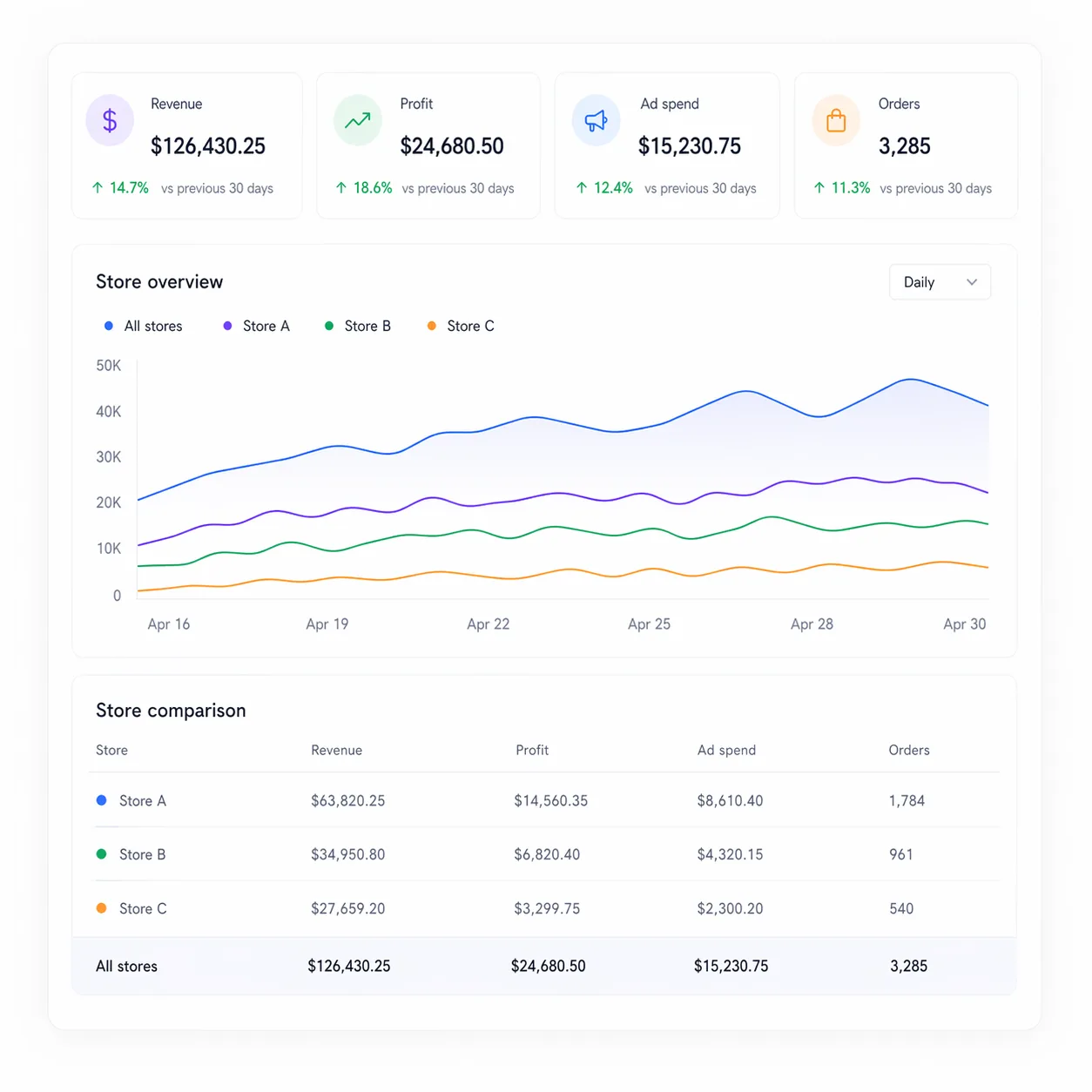
Store and marketplace context appears across Tool4seller workflows, giving teams a clearer way to compare performance, isolate risk, and move into the right next action.
Store Sales Comparison brings net sales, total sales, gross profit, profit margin, inventory cost, refunds, return rate, ad sales, ACOS, TACOS, and cost structure into one store-level view.
Multi-Store Ad Overview gives lean teams account and marketplace views for ad sales, ad spend, clicks, orders, CPA, ACOS, CPC, ROAS, and campaign recommendations.
FBA inventory views surface store info, account, inventory cost, available stock, in-transit units, reserved units, restock needs, excess inventory, and inventory age by marketplace.
Dashboard alerts help teams watch account health, FBA fee changes, ad budget alerts, sales movement, return increases, hijacking, Buy Box loss, restock pressure, and review issues.
Operating cadence
The dashboard starts with store and marketplace selection, then lets operators compare, prioritize, and move into the workflow that needs action.
Capability boundary
Product Operations remains the inventory, product, repricing, and shipment workflow. Multi-store visibility connects account and marketplace context across multiple workflows.
Sales is only one signal. Profit, PPC, inventory, return, cost, and alert context help sellers understand why one store needs attention before another.
Cross-store context becomes more useful when it connects to the dashboard, analytics, PPC, inventory, automation, and alert workflows sellers already review.
Who it helps
Cross-store work becomes useful when the dashboard helps teams decide what to inspect first, not when it adds another isolated report.
Quickly understand which marketplace needs attention before opening deeper reports.
Review profit, PPC, inventory, and alerts together so weekly operating meetings stay focused.
Compare accounts without losing the store-level details behind sales, costs, returns, and ads.
No. Multi-store visibility is better understood as a cross-workflow capability. It appears in dashboards, business analytics, PPC, inventory, alerts, and related operating views.
The demo shows account-level and marketplace-level selection, including views grouped by account and by marketplace.
Dashboard, Store Sales Comparison, Multi-Store Ad Overview, Product Analytics, FBA Inventory Overview, and alert surfaces all expose store or marketplace context.
Product Operations covers inventory, product management, repricing, and shipments. Multi-store visibility connects account and marketplace context across those workflows and beyond.
Start with cross-store visibility, then move into the profit, PPC, inventory, and alert workflows that need action.