




Amazon sellers rarely find the full answer in one report. Advertising data may show where spend went, but not whether a product remained profitable, whether conversion changed, or whether inventory can support continued growth.
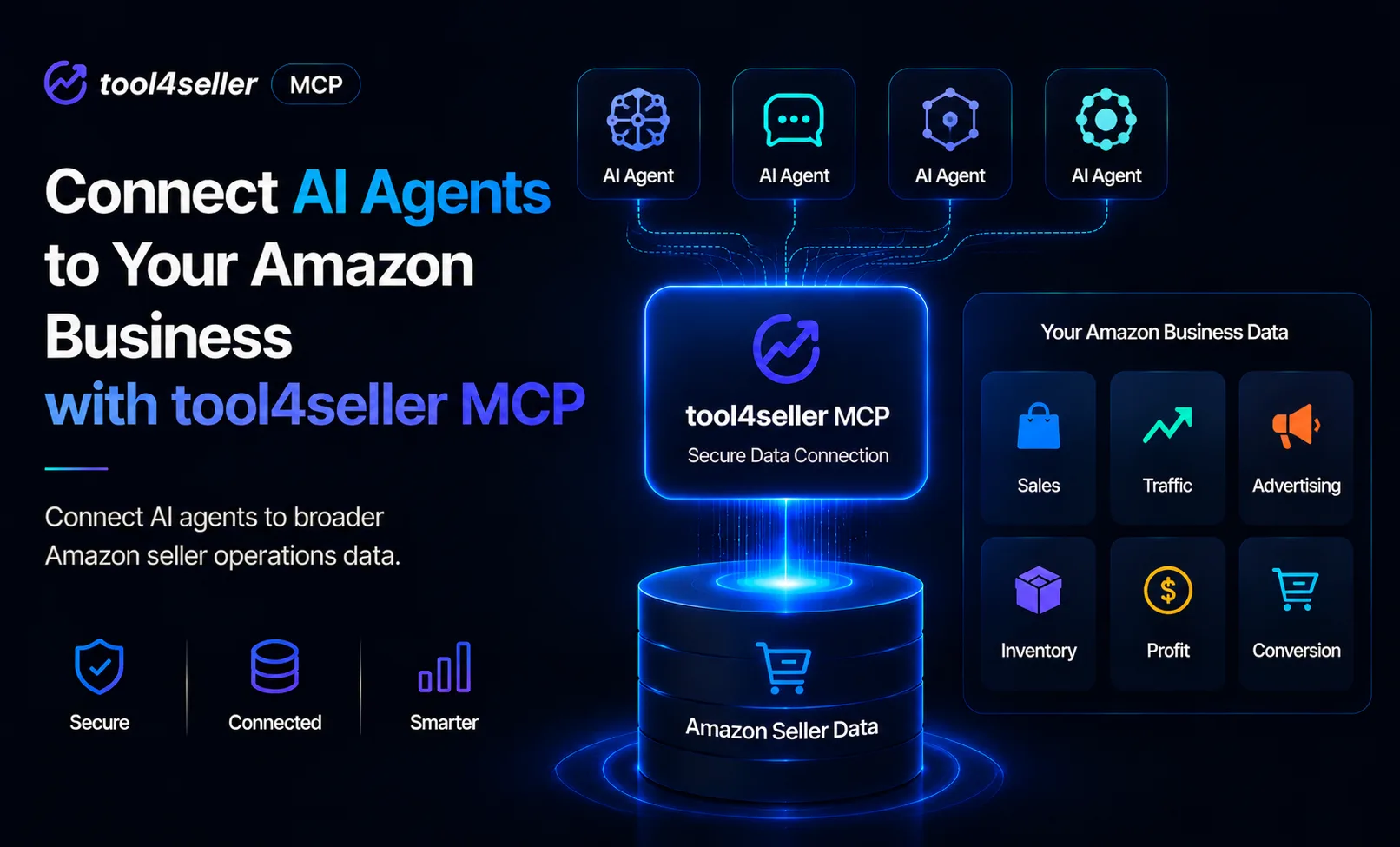
tool4seller MCP connects supported AI tools with authorized sales, profit, inventory, traffic, conversion, and advertising data in tool4seller. It gives AI agents broader Amazon seller operations context—not just isolated reports or advertising data—so you can investigate business questions without manually assembling every report first.
Your Amazon Data Should Be Easier to Work With
Amazon sellers make decisions from data every day. Sales, profit, advertising performance, inventory, traffic, conversion, and fees can all affect what you should do next.
That data is often spread across different reports and dashboards. To explain one performance change, you may need to open multiple tabs, export spreadsheets, compare numbers, and manually connect the context before an AI assistant can help.
tool4seller MCP is designed to reduce that repetitive work. It connects supported AI tools such as Claude, ChatGPT, Cursor, and other MCP-compatible clients to the business data available to your authorized tool4seller account.
What Is MCP?
MCP stands for Model Context Protocol. It is an open standard that allows AI applications to connect with external tools and data sources.
A general AI assistant does not automatically know your latest sales, margin changes, advertising spend, inventory levels, or SKU performance. Without connected data, it can only work with the information you provide in the conversation.
With tool4seller MCP, an AI tool can retrieve relevant Amazon business context through tool4seller, helping you move from generic advice to analysis based on current, structured data.
What Business Data Can AI Tools Access?
Depending on the data available to your authorized tool4seller account, tool4seller MCP can provide access to business information such as:
- Store authorization and account information
- Sales summaries by store, date, and SKU
- Listings and FBA or FBM inventory, with ASIN and SKU filters
- Inventory alerts and FBA shipment information
- Traffic and conversion data
- Profit data by store, SKU, ASIN, parent ASIN, and date
- Advertising performance, campaigns, targeting, search terms, and attributed purchases
- Product rating data for parent ASINs with Review tracking enabled
tool4seller MCP provides data access capabilities. Analysis and interpretation are performed by the AI tool you use, so important business decisions should still be reviewed by your team.
Ask Real Business Questions
Once connected, you can ask questions such as:
- Which SKUs had the biggest profit drop last week?
- Which campaigns spent money without generating enough attributed sales?
- Which products are at risk of going out of stock?
- Compare changes in sales with traffic, conversion, and advertising spend to identify possible drivers.
- Create a weekly summary covering sales, profit, advertising performance, and inventory risks.
These are questions Amazon operators ask every day. With connected data, you no longer need to collect every report manually before starting the analysis.
From Dashboards to Conversations
Dashboards are useful when you already know where to look. Business analysis, however, often starts with a broad question and becomes more specific as you investigate.
You might start by asking, “How did my Amazon business perform last week?” Then you can narrow the review: Which products contributed most to the profit decline? Did advertising spend, fees, refunds, or lower sales coincide with the change? Which SKUs should the team review first?
tool4seller MCP gives your AI tool relevant business context for follow-up analysis, helping you narrow down the products, campaigns, and inventory risks that need attention.
More Than Advertising Data: A Broader View of Your Amazon Business
Advertising data alone does not show the full picture. A campaign may appear efficient before product costs and fees are considered. A product may grow in revenue while losing margin. A SKU may be selling well while inventory risk is rising.
tool4seller MCP makes sales, profit, inventory, traffic, conversion, and advertising data available through one MCP connection. This broader operations context helps AI tools compare signals across your business instead of analyzing each report in isolation.
Analyze sales, profit, inventory, traffic, conversion, and advertising data together to understand what changed, identify possible drivers, and decide what your team should review next.
Designed for Practical Amazon Operations
tool4seller MCP can support daily checks, weekly reporting, profit analysis, PPC reviews, inventory monitoring, and team updates. It is designed for sellers, brand owners, PPC managers, operators, and agencies that want faster access to their Amazon business data.
The goal is not to replace human judgment. It is to reduce repetitive data collection so your team can spend more time reviewing the evidence and deciding what to do next.
Access and Availability
A Standard or higher tool4seller plan is currently required. After authorization, tool4seller MCP can only access stores available to the tool4seller account used to sign in. Stores assigned or shared by a Primary Account may not be accessible when you sign in with a User Account.
Availability and setup options may vary by AI tool, plan, and workspace settings. Always review the permissions and data access requested by the AI tool before connecting it.
Connect Your Data. Ask a Real Business Question.
View the tool4seller MCP setup guide and authorize your account. Then ask your AI agent: “What changed in my Amazon business last week, why did it change, and what should I review first?”
Use sales, profit, inventory, traffic, conversion, and advertising performance together to turn a broad question into clear areas for review.