




01
Describe your product
Open the MoonSees Ads Diagnosis & Repair plugin. Share your ASIN, marketplace, product positioning, and the buyer shopping task you want to serve.
Clear ad diagnosis. Reliable repair guidance.
Turn Amazon PPC signals into root-cause insights, prioritized repair actions, and a clear monitoring plan with MoonSees Ads Diagnosis & Repair.
Built for Amazon advertisers · Analysis quality depends on available data


GET STARTED
Start with your product context, add advertising evidence, and receive recommendations that distinguish surface symptoms from structural causes.
Open the MoonSees Ads Diagnosis & Repair plugin. Share your ASIN, marketplace, product positioning, and the buyer shopping task you want to serve.
Add your Listing, product images, campaign structure report, and search-term report. More complete evidence leads to a more reliable diagnosis.
Explore root causes, priority fixes, thresholds, and a 3/7/14/30-day review schedule. Confirm any actual advertising changes in your own tools.
WHAT TO EXPECT
MoonSees evaluates whether your ads reinforce the right product identity and shopper intent—not simply whether a single metric appears healthy.
Analysis and governance workflows supported by the diagnostic methodology.
You can begin with limited context; deeper conclusions require stronger evidence.
THE TEAMS BEHIND THE PLUGIN
Jointly developed by MoonSees and tool4seller, bringing Amazon expertise and seller software together to support better advertising decisions.
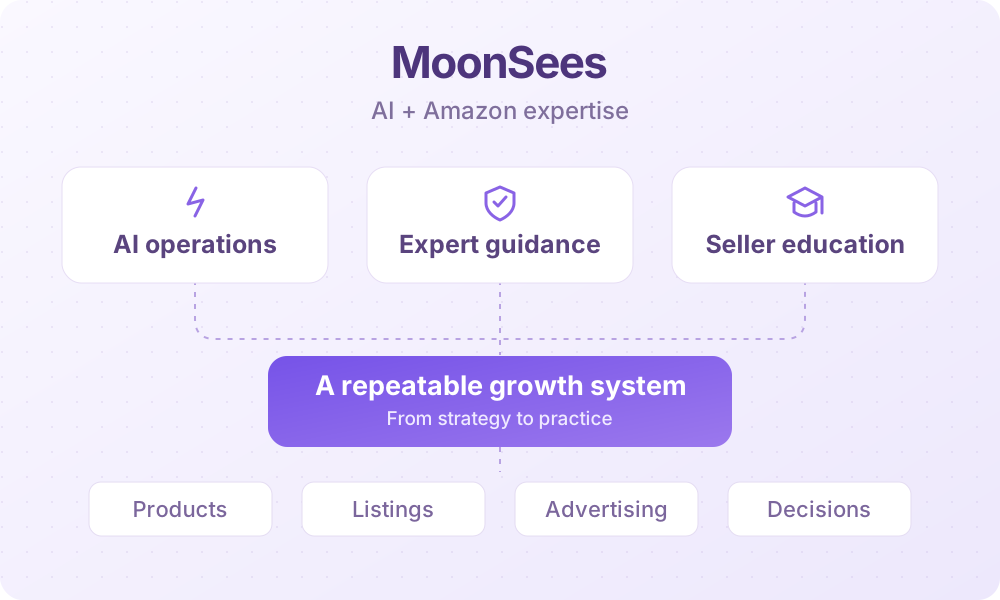
MoonSees combines AI technology with hands-on Amazon expertise to help sellers build repeatable growth systems. Its training, consulting, and operational services cover product selection, listing optimization, advertising, and business decisions, helping brands and teams put strategy into practice.
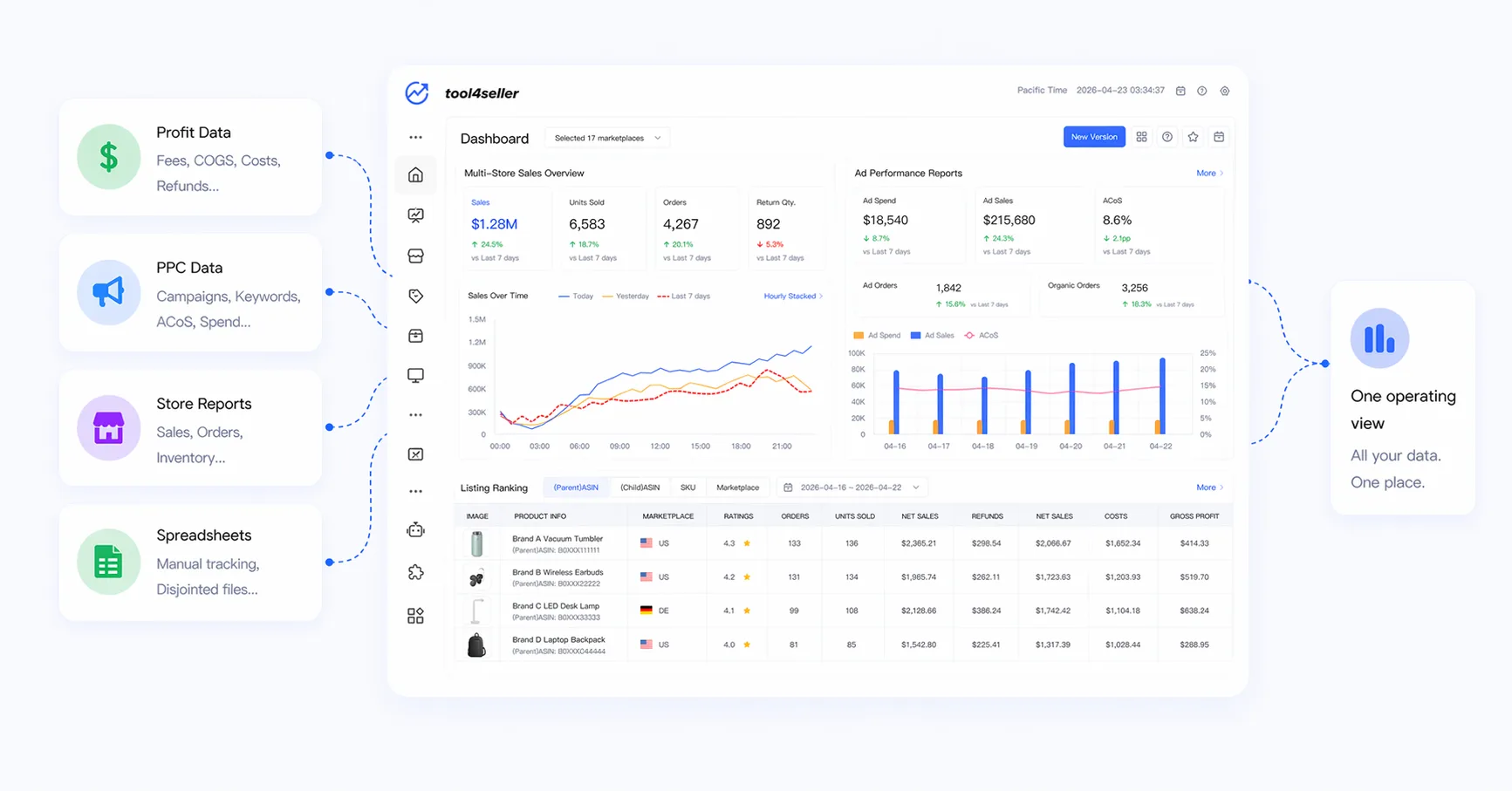
tool4seller brings Amazon profit analytics, PPC management, and multi-store reporting into one workspace.
With tool4seller MCP, connect your authorized sales, profit, inventory, and advertising data to ChatGPT, Claude, and Codex. Ask questions, analyze performance, and review supported advertising changes for approval before they are applied.
HELP & TROUBLESHOOTING
Answers to common setup, data, and diagnosis questions.
Not necessarily. You can provide ASIN details and upload available reports directly in the conversation. Live account data access depends on the external tools and permissions connected in your workspace.
A Sponsored Products search-term report and a campaign structure/performance report are especially useful. Listing context, product images, budgets, bid data, and organic performance can strengthen root-cause attribution.
Some judgments require enough clicks, orders, attribution history, or reliable product context. The plugin should explain gaps and distinguish actual values from assumptions or illustrative thresholds.
This support page describes the diagnostic assistant, not an automatic ad editor. It produces recommended actions. Actual changes require separately available tools, appropriate permissions, and explicit user confirmation.
Check that the file is a valid CSV with column headers, a consistent date range, and metrics such as impressions, clicks, spend, orders, and sales. If needed, export a fresh report and retry with one file at a time.
No. MoonSees also examines shopping-task alignment, semantic drift, traffic-pool concentration, structural cannibalization, and organic performance. A lower ACoS can still hide an unhealthy advertising direction.
For plugin usage, report interpretation, missing fields, or technical issues, contact the MoonSees support mailbox directly. Please avoid including passwords or sensitive account credentials.